
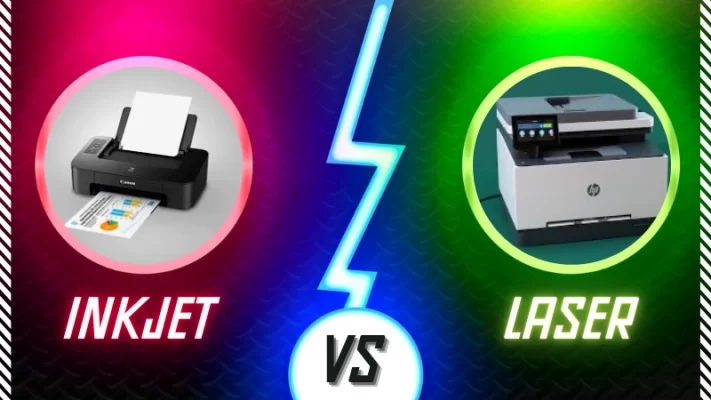
Inkjet vs Laser Printer: Which Is Better for Home and Office?
Contents
Choosing between an inkjet printer and a laser printer can be confusing, especially when both types are available in different price ranges and configurations. Whether you are a student, a home user, a small business owner, or an office professional, choosing the right printer can help you save money and complete printing tasks efficiently.
The main difference between an inkjet and a laser printer is the technology used to produce text and images. Inkjet printers spray tiny droplets of liquid ink onto paper, while laser printers use powdered toner that is transferred to paper and fixed using heat.
Both technologies have advantages and disadvantages. An inkjet printer can be an excellent choice for colour photographs and creative projects, whereas a laser printer is often suitable for frequent document printing and larger workloads.
In this guide, we will compare inkjet vs laser printers in terms of print quality, speed, running costs, maintenance, and everyday use so you can make an informed decision.
1. What Is an Inkjet Printer?
An inkjet printer produces text and images by spraying microscopic droplets of liquid ink onto paper. Depending on the model, it may use ink cartridges or refillable ink tanks.
Inkjet printers are popular in homes, schools, and small offices because many models can print documents, photographs, colourful graphics, and school projects.
Advantages of inkjet printers
- Good colour reproduction and photo-printing capabilities.
- Suitable for documents containing photographs and graphics.
- Many models have a relatively low initial purchase price.
- Refillable ink-tank models can offer a low cost per page.
- Some models support glossy photo paper and specialised media.
Disadvantages of inkjet printers
- Ink cartridges may become expensive when replaced frequently.
- Printheads can clog or require cleaning if a printer is left unused for long periods.
- Some models print documents more slowly than comparable laser printers.
- Wet ink may smudge before it dries, depending on the ink and paper.
Example: A student who prints school assignments, coloured charts, project work, and occasional photographs may prefer an inkjet printer.
2. What Is a Laser Printer?
A laser printer uses an electrostatic imaging process and powdered toner rather than liquid ink. The printer transfers toner to paper and uses heat and pressure to fuse it onto the surface.
Laser printers are widely used for business documents, invoices, reports, forms, and other text-heavy printing tasks.
Advantages of laser printers
- Generally fast for text-based printing and large print jobs.
- Produces sharp, clear text on ordinary office paper.
- Toner does not dry out in the same way as liquid ink.
- Often offers economical printing for high-volume monochrome documents.
- Prints are usually ready for handling immediately after printing.
Disadvantages of laser printers
- The initial purchase price can be higher, depending on the model.
- Toner cartridges and replacement parts can be expensive.
- Colour laser models may cost significantly more than basic monochrome models.
- Most models are less suitable than dedicated photo inkjets for high-quality glossy photographs.
Example: A small office that prints invoices, reports, customer documents, and hundreds of black-and-white pages regularly may benefit from a monochrome laser printer.
3. Inkjet vs Laser Printer: Key Differences
| Feature | Inkjet Printer | Laser Printer |
|---|---|---|
| Printing technology | Liquid ink droplets | Powdered toner fused with heat |
| Photo printing | Often better | Generally less suitable for photo-quality output |
| Text quality | Good to excellent | Usually very sharp |
| Printing speed | Varies by model; often slower for documents | Generally faster for text-heavy workloads |
| Initial cost | Often lower, but varies | Often higher, but varies |
| Running cost | Depends on cartridges or tank system | Depends on toner yield and replacement parts |
| Long periods without use | Some printheads may clog | Toner does not dry out like liquid ink |
| Best use | Photos, colour documents, mixed home use | Reports, invoices, office documents |
| Paper options | Many models support glossy photo paper | Usually best suited to standard office media |
These are general differences, not guarantees for every printer. Actual performance depends on the model, print settings, consumables, and workload.
4. Which Printer Is Cheaper in the Long Run?
One of the most important factors when choosing a printer is the total cost of ownership. The purchase price is only one part of the expense.
You should also consider ink or toner replacements, paper, maintenance, electricity, and the number of pages you expect to print.
Inkjet printers with cartridges
Basic cartridge-based inkjets can be affordable to purchase. However, if you print frequently, replacement cartridges may increase your running costs.
Ink-tank printers
Refillable ink-tank printers usually cost more initially than basic cartridge models, but their high-yield ink bottles can provide economical printing for regular colour and black-and-white workloads.
Laser printers
Laser printers can offer good value for frequent document printing, particularly when most pages contain black text. However, toner prices, cartridge yield, drum replacement, and maintenance vary by model.
A practical cost calculation
Suppose you are comparing two printers for 1,000 pages.
| Expense | Printer A | Printer B |
|---|---|---|
| Purchase price | ₹6,000 | ₹10,000 |
| Cost per printed page | ₹2 | ₹0.60 |
| Cost of 1,000 pages | ₹2,000 | ₹600 |
| Purchase price plus printing | ₹8,000 | ₹10,600 |
In this hypothetical example, Printer A costs ₹8,000 in total, while Printer B costs ₹10,600. Printer B has a lower printing cost per page, but its higher initial price means it has not yet become cheaper overall.
At 5,000 pages, the comparison changes:
- Printer A: ₹6,000 + ₹10,000 = ₹16,000.
- Printer B: ₹10,000 + ₹3,000 = ₹13,000.
Printer B becomes less expensive in this example once printing volume is sufficiently high.
Important: These figures are illustrative only, not actual market prices or a claim about any particular printer. Your real costs will depend on the manufacturer’s stated page yield, cartridge or toner prices, print coverage, and replacement parts.
5. Which Printer Is Best for Home Use?
For home use, start by considering what you print most often.
An inkjet printer may be a good choice if you print school projects, colour documents, photographs, and occasional paperwork. If you print infrequently, check the manufacturer’s maintenance recommendations and consider whether a refillable ink-tank model suits your budget.
A monochrome laser printer may be a better option if you mostly print black-and-white documents, forms, homework, and other text-heavy pages.
Before purchasing, check whether you need Wi-Fi, mobile printing, scanning, copying, or automatic double-sided printing.
6. Which Printer Is Best for Students?
Students often need to print assignments, notes, presentations, charts, and project reports.
An inkjet printer can be useful for students who frequently need colour diagrams and photographs. An ink-tank printer may be worth considering if colour printing is frequent.
A monochrome laser printer may suit students who primarily print text, notes, and black-and-white study materials.
For example, a student printing 100 pages of notes each month has different needs from a design student printing colourful presentations and photographs. Estimate monthly page volume before choosing a printer.
7. Which Printer Is Best for Small Businesses and Offices?
Businesses should consider workload, reliability, speed, and the cost of printing each page.
A monochrome laser printer is often a practical option for businesses that print invoices, statements, contracts, and reports in large quantities.
A colour laser printer may suit offices that frequently print business documents containing charts, logos, and colour graphics.
A business ink-tank printer may be worth considering if you need economical colour printing alongside ordinary documents.
For a shop or office, also check paper-tray capacity, supported paper sizes, network connectivity, automatic duplex printing, scanner features, and the manufacturer’s recommended monthly duty cycle.
8. Inkjet vs Laser Printer: Maintenance Tips
Good maintenance can help reduce printing problems and extend the useful life of your printer.
Inkjet printer maintenance
- Follow the manufacturer’s recommended maintenance routine.
- Use compatible paper and the correct print settings.
- Avoid leaving the printer unused for long periods if the manufacturer recommends regular use.
- Run printhead cleaning only when necessary because cleaning routines consume ink.
- Keep ink supplies and the printer in suitable storage conditions.
Laser printer maintenance
- Use the toner specified for your printer model.
- Follow the manufacturer’s instructions for replacing toner and other consumables.
- Keep the printer in a clean, well-ventilated area.
- Avoid touching sensitive imaging components.
- Investigate recurring paper jams or print-quality issues rather than repeatedly forcing paper through the machine.
Always switch off the printer and follow the safety instructions before carrying out maintenance.
9. What Should You Check Before Buying a Printer?
Before purchasing any printer, ask yourself these questions:
- Monthly printing volume: How many pages do you print each month?
- Colour requirements: Do you need photographs and colour graphics?
- Running costs: What are the genuine ink or toner prices and page yields?
- Connectivity: Do you need USB, Wi-Fi, Ethernet, or mobile printing?
- Multifunction features: Do you need a scanner and copier?
- Duplex printing: Do you want automatic printing on both sides?
- Warranty and service: Is authorised service available in your area?
- Space: Will the printer fit comfortably on your desk?
Do not select a printer solely because it has the lowest purchase price or the highest advertised resolution. Compare the features that matter to your actual workload.
Frequently Asked Questions
1. Is an inkjet printer better than a laser printer?
Neither technology is universally better. Inkjet printers are often better for photographs and colour-focused projects, while laser printers generally suit frequent text printing and large document workloads.
2. Which printer is cheaper to maintain?
It depends on the model and usage. Laser printers can be economical for high-volume monochrome printing, while refillable ink-tank printers can offer low running costs for colour printing. Compare consumable prices and yields before deciding.
3. Can a laser printer print colour photographs?
Yes. Colour laser printers can print colour images and graphics. However, a dedicated photo inkjet generally offers better results for glossy photographs and smooth colour transitions.
4. Does printer ink dry out if it is not used?
Liquid ink can dry or clog in the printhead of some inkjet printers when they remain unused for extended periods. The risk depends on the model, ink system, environment, and maintenance. Laser toner is a dry powder and does not dry out in the same way.
5. Is a laser printer good for home use?
Yes. A monochrome laser printer can be an excellent home option if you mostly print documents, forms, and study notes. If you regularly print photographs or colour projects, consider an inkjet or ink-tank model instead.
6. Is an ink-tank printer better than a cartridge printer?
An ink-tank printer may provide a lower cost per page for regular printing, particularly when you print many colour pages. A cartridge printer may have a lower initial price and can be suitable for lighter use. Compare the purchase price, ink costs, and expected print volume.
7. What is the difference between toner and ink?
Ink is a liquid used by inkjet printers. Toner is a fine powder used by laser printers. The printer’s imaging system applies the relevant material to the paper to create text and images.
8. How can I calculate the cost per page?
Divide the price of a cartridge, toner, or ink supply by its expected page yield. For a more accurate estimate, also consider the printer’s purchase price, drum or printhead replacement, maintenance, and the type of pages you print.
Conclusion
The best choice in the inkjet vs laser printer comparison depends on your printing habits, budget, and required output quality.
Choose an inkjet printer if photographs, colour graphics, and versatile media support are important. Consider a refillable ink-tank model if you need regular colour printing at a lower ongoing cost. Choose a laser printer if your main priority is fast, clear document printing, particularly for larger volumes of black-and-white pages.
Before buying, compare the full cost of ownership rather than looking only at the initial price. A printer that matches your actual workload can provide better value over time.
For more practical technology guides, computer tips, and helpful tutorials, visit KnowledgeFinder.in